
How can you prevent companies from collecting your personal data?
Your personal data is a valuable asset, and businesses are constantly looking for ways to collect it through the apps and websites you use every day. Let's explore how to effectively protect your privacy and prevent unauthorized data collection.
Your personal data is an extremely valuable asset to advertisers, cybercriminals, and a wide range of companies across various sectors.
They collect this information to target advertisements, build user profiles, or even use it for opaque purposes.
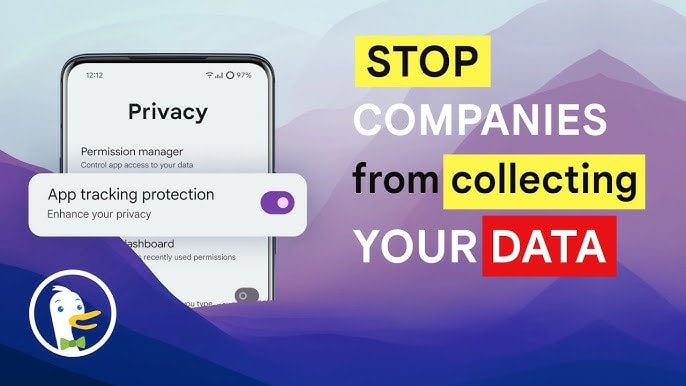
Therefore, controlling personal data and knowing exactly who is collecting and using it is extremely important.
One of the most effective ways to protect your privacy is to restrict apps and services from accessing your device.
Many apps can silently copy your contacts, scan the contents of your photo library, or even track your location without your knowledge.
The simple but important solution is to only download apps that are truly necessary, carefully read the privacy terms, and refuse irrelevant access requests.
Here are some tips to help you protect your device and prevent unauthorized data collection, giving you better control over your personal information.
1. Read the privacy policies and reports.
You can verify exactly what type of data an app collects from your phone or a website collects from your browser by carefully reading the company's privacy policy.
Most online services have a section on "Data Collection" or "Privacy," which outlines what information they collect, how they store it, and how they use your data.
For a quicker approach, you can check the privacy report section on app stores like Google Play (for Android) and the App Store (for iOS).
These reports typically provide a list of the types of data that the app has access to, including location, contacts, browsing history, or even message content.
Additionally, pay attention to your inbox. Companies often send emails to customers when there are changes to their privacy policies or when security incidents occur.
Monitoring these notifications helps you stay updated and make informed decisions about whether to continue using the service or take additional security measures.
2. Always refuse to collect data.
Many companies are integrating AI generation tools into their services, and in some cases, such as LinkedIn, a social networking platform specializing in professional networking and recruitment, they use customer data itself to train AI models.
If you don't want LinkedIn to collect your posts in the future for AI training purposes, you can proactively control that by accessing [link/option].Setting, selectData privacyand turn off the optionData for improving AI generation.
Besides adjusting your personal settings, you can also use your voice to protest data collection policies that don't align with your interests.
This shows that expressing your opinion is not pointless. Companies may adjust their policies if customers provide strong feedback. So, carefully monitor how your data is used and don't hesitate to speak up if you feel your privacy is being violated.
3. Deliberately obfuscate your data.
Be cautious when providing personal information online, and if possible, avoid providing real information unnecessarily. Of course, accuracy is essential when dealing with government agencies or banks, but there's no reason for a cooking website to ask for your full name, date of birth, phone number, and address just for a recipe.
If an app or website asks for information that you don't find reasonable, don't rush to provide your real data. In many cases, online forms only ask for optional information, so you can skip unnecessary personal details.
Additionally, take control of your privacy by rejecting tracking cookies on websites and restricting apps' access to personal data. This won't affect your experience, but it will help minimize security and privacy risks.
4. Enable multi-factor authentication.
You can enhance the protection of your personal data by enabling multi-factor authentication (MFA) on all important apps and websites. This is an extra layer of security that helps prevent malicious actors from accessing your accounts, even if they obtain your password.
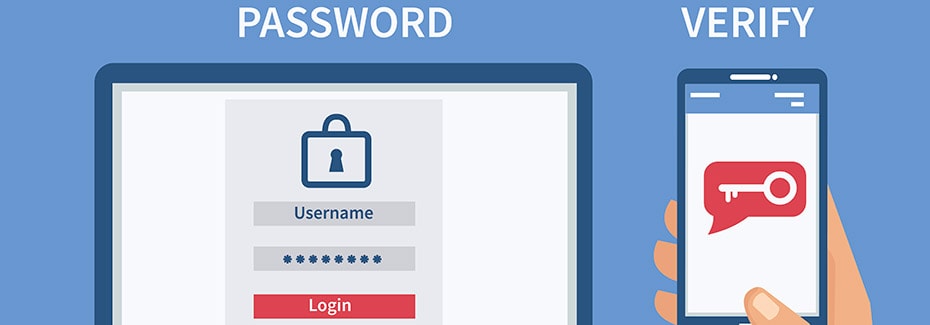
Photo: Internet.
There are many authentication apps you can use with your mobile device, or you can carry a hardware security key on your keychain.
Although it might be slightly inconvenient to enter the code every time you log in, think of it as a strong protective barrier against cyberattacks, helping you keep your personal information safe.
5. Use a Password Manager
You should also consider using a password manager to protect and track your login information. Tools like Apple Passwords or Google Password Manager can help you store, automatically fill in, and generate strong passwords without having to remember them all.
If you want more control, third-party password management apps like Enpass allow you to choose where your data is stored—either in a private cloud or locally on your device. This helps you avoid complete reliance on company systems and reduces the risk of being affected if a data leak occurs.
Such a simple yet effective layer of protection can help keep you safe from online risks.
Although data breaches and security incidents at companies are no longer as shocking as they used to be, that doesn't mean the consequences of your personal data being leaked are any less concerning.
Scammers can exploit leaked personal information to construct sophisticated scams, making you an easy target for non-technical attacks.
In addition, hackers can exploit leaked data to gain access to poorly secured accounts, stealing your identity or finances.
Additionally, corporations may use your images, videos, and online data to train AI without your explicit consent.
Therefore, being cautious with your personal data remains more important than ever.


