
Can emergency charging damage your iPhone?
Apple has added an emergency charging feature to help iPhones charge in special situations. However, many people are concerned that this mode could harm the battery or the device. So what's the truth?
Over the years, Apple has continuously upgraded the water resistance of the iPhone, making it a safer tool for users who want to capture moments in the rain or even underwater.
One of the most notable features is the charging port protection mechanism. When iOS detects moisture in the Lightning or USB-C port, the system automatically disables wired charging to prevent short circuits and hardware damage. At that point, the iPhone screen will display a warning such as "Liquid detected in connector" or "Unable to charge," along with a special option called "Emergency charging” (Emergency Override).
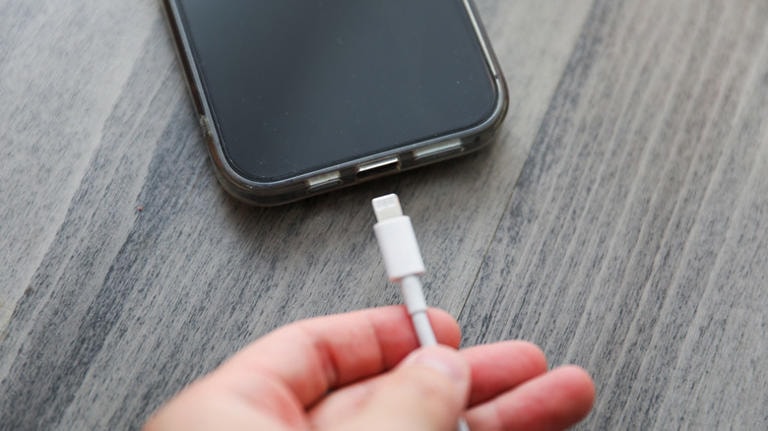
This option allows users to force the device to continue charging even when the port is still wet, but Apple emphasizes that this is only a last resort in emergency situations, where keeping the iPhone working is more important than the risk of damage.
Typically, the warning will disappear on its own after a few hours once the charging port dries naturally in a well-ventilated environment. In the meantime, wireless charging remains a safe option, as long as the back of the phone is dry. This allows users to maintain connectivity without risking damage to the hardware.
The risks of charging a wet iPhone.
Ignoring Apple's built-in moisture detection system can cause permanent damage to your iPhone. The biggest risk is corrosion, because when electricity flows through damp contact points, the metal in the charging port will gradually degrade.
Over time, this phenomenon causes unstable connections, leading to charging errors or the inability to use accessories. Once corrosion occurs, the damage is often irreversible.
Another equally serious risk is short circuits. Moisture can create unintended electrical pathways, burning out sensitive components on the motherboard. Even a minor short circuit can result in very high repair costs. More dangerously, voltage fluctuations from this incident can spread to other parts, affecting the screen, sensors, or the entire phone system.
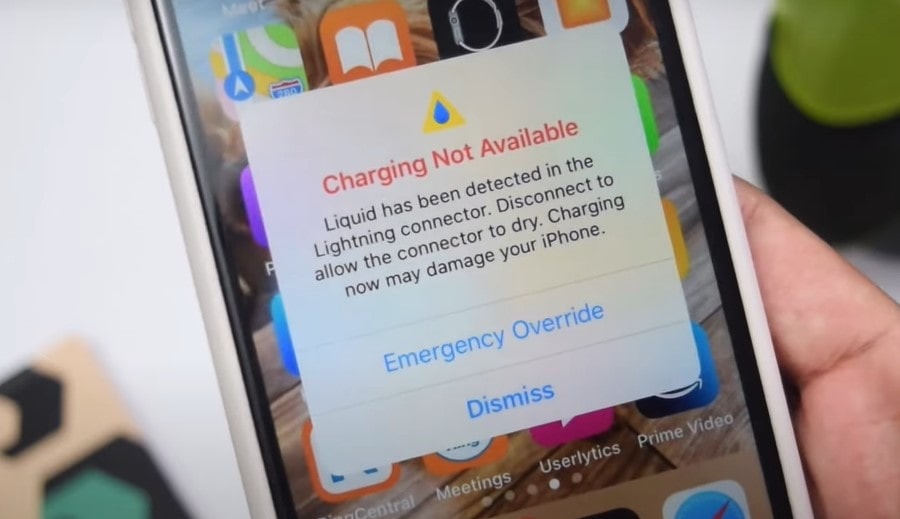
Photo: Internet.
In case you need to charge quickly, a much safer solution is wireless charging. All iPhones from the 8th generation onwards, including the latest slim model, support the Qi wireless charging standard and can function normally if the back is dry.
Without wireless charging, patiently waiting is still a wise option as the warning usually disappears within 30 minutes to 24 hours, depending on the environment. Using desiccant packets like silica gel can also help shorten the drying process. In all situations, the “Emergency Charging” option should only be considered as a last resort.
How to safely handle a liquid detection alert.
When your iPhone displays a liquid detection warning, the most important thing is to disconnect it immediately. Unplug all cables and accessories, then turn off the device. Hold the iPhone with the charging port facing down and gently tap to remove any remaining water. The outside of the device should be wiped with a soft, lint-free cloth. Next, place the iPhone in a well-ventilated area at room temperature to allow the moisture to evaporate naturally.
Absolutely avoid anecdotal "tips" like using rice, cotton swabs, or compressed air, as these can push the liquid deeper inside or cause further damage. Generally, you should wait at least 30 minutes before attempting to recharge.
In many cases, it can take anywhere from a few hours to 24 hours for the charging port to dry completely. You can check periodically by plugging in the cable, but be prepared for the warning to appear multiple times.
To reduce the risk of recurrence, limit direct exposure of your iPhone to water, especially in humid environments. A waterproof case is a good option if you are frequently near a pool or beach.
And remember, the "Emergency Charge" option should only be used when absolutely necessary, and the best way to protect your iPhone is still to patiently wait for it to dry and handle it properly.


