
Helpful tips to check if an iPhone is genuine or fake?
Many people are wondering whether the iPhone they are using is genuine or not. With the increasingly complex mobile phone market, distinguishing between genuine and fake iPhones has become extremely important.
The iPhone has long transcended the role of a mere smartphone. With its sophisticated design, powerful performance, and premium ecosystem, the iPhone is not just a technological device but also a symbol of style and prestige.
Because of its global appeal, the market has witnessed an alarming increase in counterfeit iPhones, made so sophisticated that they are almost indistinguishable from the real thing to the naked eye.
While buying iPhones from official channels like Apple Stores or authorized dealers always guarantees quality, buying from unknown sources or having them repaired at unverified shops carries significant risks.
Some devices have their components replaced with non-genuine parts, or even swapped out with counterfeit or refurbished goods without the user's knowledge. To help users shop and use iPhones with peace of mind, here is a detailed guide to easily and accurately identify genuine and fake iPhones.
1. Check the packaging and accessories – The first sign to identify a genuine iPhone.
Apple is renowned for its attention to detail, and product packaging is a prime example. Therefore, checking the box and included accessories is a crucial first step in identifying a genuine iPhone.
Box quality:Genuine iPhone boxes are always sturdy, sharply printed with high-resolution images and refined, precise fonts. In contrast, counterfeit boxes often have blurry printing, mismatched colors, or are easily dented and flimsy.
Accessories included:Genuine Apple charging cables and accessories have a sleek design, feel solid in the hand, and usually have the words "Designed by Apple in California" clearly printed on them. If the accessory looks light, flimsy, lacks labeling, or doesn't have a high-quality finish, that's a suspicious sign.
Tip:If possible, compare it directly to a brand-new iPhone purchased from an official store. Differences in design, weight, and materials will be easily noticeable when placed side-by-side.
2. Verify the serial number and IMEI – How to check the "true identity" of your iPhone.
Every genuine iPhone has a unique serial number and IMEI (International Mobile Equipment Identity) code, like the device's "ID card." Based on this, you can easily verify the authenticity of your device in just a few simple steps:
Find the serial number:On iPhone, go toSettingnewsGeneral settingsnewsIntroduceTo view the device's serial number. This is important information that helps you check the warranty and the device's origin.
Check on Apple's website:Access the Apple Warranty Check page and enter the serial number you just found. If the device is genuine, the system will display detailed information such as the model, warranty period, activation date, etc. If nothing is displayed or an error message appears, that's a suspicious sign.
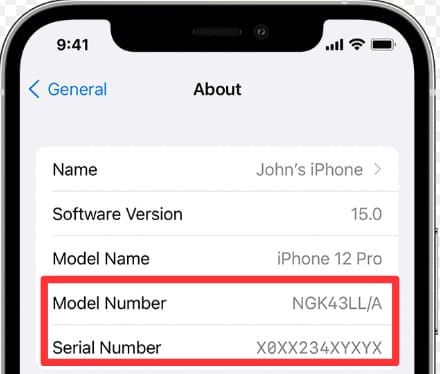
Photo: Internet.
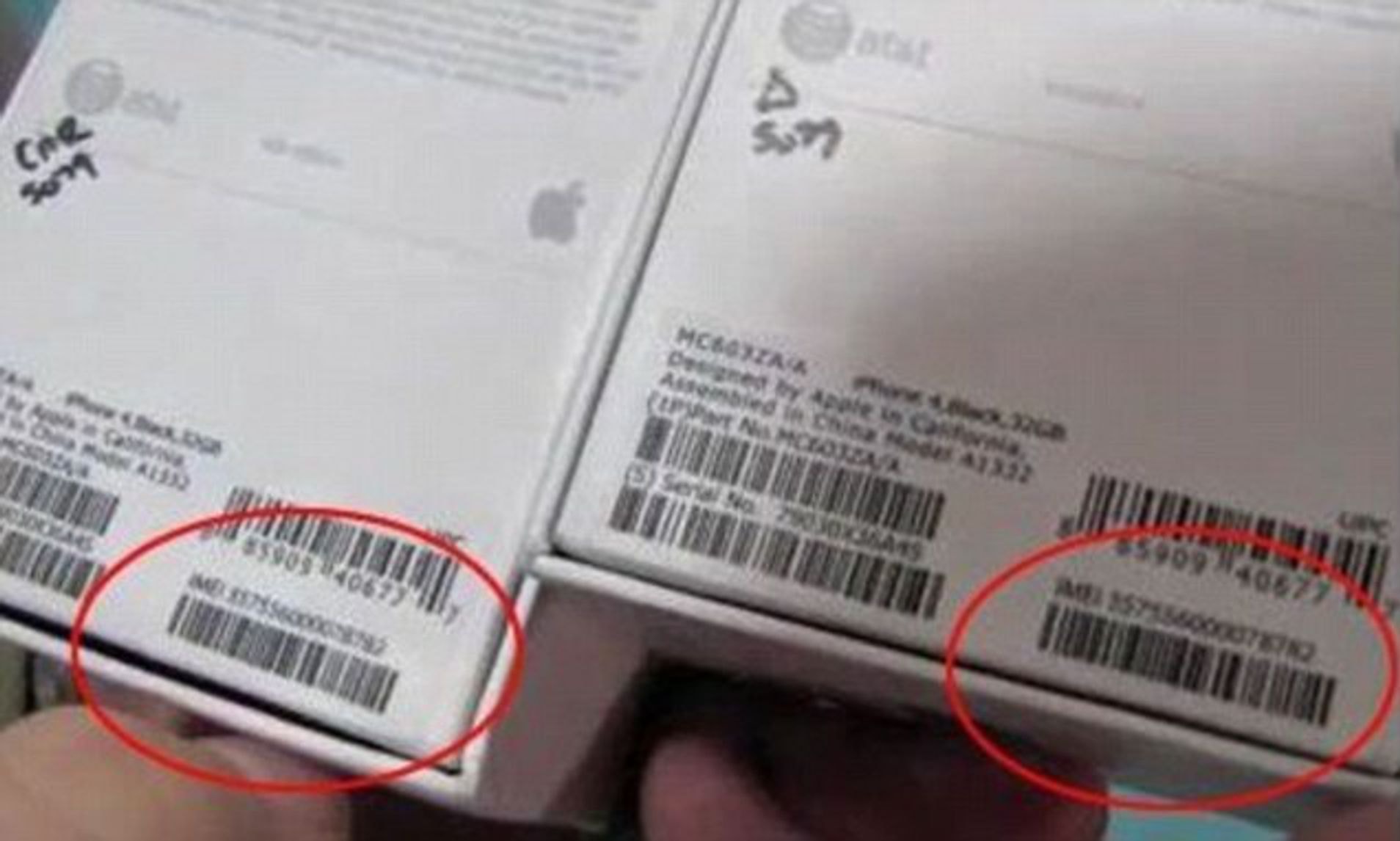
Verify the IMEI code:Dial *#06# to display the device's IMEI. Then, check if this code matches the information printed on the box, the SIM tray, and in the Settings. All the numbers must be exactly the same.
Note:If there are any discrepancies or if the Apple system doesn't recognize the code, it's highly likely you're holding a counterfeit iPhone.
3. Check the build quality – A hallmark of a genuine iPhone.
Apple has always been known for its exquisite craftsmanship and premium design down to the smallest detail. Therefore, carefully observing the appearance and feel of the device in your hand is an effective way to identify a genuine iPhone.
Feel and finish:A genuine iPhone always feels solid, seamless, with no gaps or looseness. The buttons are responsive and light to the touch, and the Apple logo on the back is printed or engraved precisely, accurately aligned, and smooth to the touch.
Compare the designs:Check factors such as the device's size, weight, and thickness. You can look up the official specifications from Apple for comparison. Any discrepancies, however small, could be a sign of something unusual.
SIM tray:This is a small detail, but often overlooked in counterfeits. Remove the SIM tray and observe carefully; a genuine iPhone will have a neat tray that fits snugly against the body, without any rough edges or misalignment. Counterfeit ones often have poorly cut edges or inferior materials.
Expert tip:Use a magnifying glass or a high-resolution camera to carefully examine details such as the logo, screen bezel, and connectors. These small details are often where counterfeit products are most easily identified.
4. Check the software and features – The easiest way to expose a fake iPhone.
One of the quickest and most effective ways to detect a fake iPhone is to examine the software inside. No matter how similar the appearance may be, the operating system and features will tell the whole story.
Apple's "premium" iOS operating system:Genuine iPhones always run Apple's proprietary iOS operating system, which is smooth, highly secure, and regularly updated. You can verify this by visiting [website/link].SettingnewsGeneral settingsnewsUpdate the software.If the device displays the latest iOS version or an update notification, that's a positive sign.
Counterfeit devices often run Android disguised as iOS:Many fake iPhones are actually Android devices disguised with an iOS interface to deceive users. However, a few simple steps can expose them, such as activating the Siri assistant. Try saying "Hey Siri" or holding the power button for a moment; if Siri doesn't respond, it's highly likely not a real iPhone.
Alternatively, open the App Store and check if it's the genuine one. Fake iPhones will often open Google Play or an unofficial app store.
Experience the smoothness:iOS operations are always smooth and lag-free. If your device responds slowly, displays strange effects, or has unfamiliar apps installed, be wary.
Tip:You can download the official "Apple Support" app from the App Store. If the device doesn't allow you to download it, it's definitely not a real iPhone.
5. Go to an Apple-authorized service center – The ultimate solution for peace of mind.
If, after all the checks, you still have doubts about the authenticity of your device, the surest and most reliable way is to take your iPhone to an Apple-authorized service center.
Expert verification:Here, our team of Apple-trained technicians will help you check and verify whether your device is genuine. No more guesswork or worrying about mistakes.
Ensuring quality during repairs:Having your iPhone repaired at authorized service centers also ensures that your device isn't fitted with counterfeit or low-quality parts, a common risk at unofficial repair shops.
Why is it important to check if your iPhone is real or fake?
Verifying the authenticity of an iPhone isn't just about protecting your wallet from a bad investment. Behind a fake iPhone lurks many serious risks:
Security risks:Counterfeit devices often lack the rigorous security features of genuine iPhones. This makes it easy for your personal data, bank account information, and other private information to be stolen.
Poor user experience:Fake iPhones rarely function reliably. They may overheat quickly or experience constant software errors. Furthermore, these devices will not receive regular iOS updates from Apple, meaning you'll miss out on new features and important security patches.
Hidden long-term costs:You might be able to buy the machine cheaply, but it will end up costing more later due to constant repairs or having to replace it with a new one.
In short, a genuine iPhone is not just a high-end tech product, but also a guarantee of superior performance, safety, and user experience. Don't let a hasty decision cost you dearly in the long run.


