
7 simple ways to free up smartphone storage.
A full smartphone memory not only makes it difficult to store new data but also affects the device's performance. Let's explore 7 simple solutions to "clean up" storage space and optimize your smartphone.
You've just captured a stunning photo, the perfect moment you don't want to miss, but as soon as you press the save button, an annoying message pops up: "Storage full." Disappointment and frustration quickly set in.

Moreover, constantly having to delete old photos, uninstall favorite apps, or find ways to free up storage space whenever the phone runs out of memory has become a frequent annoyance.
When memory is limited, things become much more complicated, especially when you need space to store important memories, install necessary apps, or simply maintain smooth performance for your device.
Why does smartphone memory get full?
Over time, your phone gradually becomes cluttered with data from various sources. Applications not only store user information but also constantly accumulate data files, updates, and cache memory, occupying a significant portion of valuable storage space.
Meanwhile, photos and videos accumulate over time, especially if you take photos frequently or download content from social media. Additionally, many apps automatically store temporary files and offline content, such as videos, songs, or documents, to help you access them more quickly without an internet connection.
However, all this data can quickly fill up your device's memory without you even realizing it. When the storage limit is reached, your phone may run slower, become less responsive, and even experience errors when installing new apps or updating software.
This forces you to constantly check and clean up memory, making memory management an indispensable task.
Here are 7 effective ways to optimize your storage space, reduce memory full issues, and maintain smooth performance on your phone.
These tips will not only help you free up storage space but also help your device run more smoothly, avoiding lag caused by overloaded memory.
1. Delete unused apps.
Apps you rarely use are still silently taking up a significant amount of storage space on your phone. Not only do they consume installation memory, many apps also constantly create data files, cache memory, and even run in the background, affecting device performance.

Removing unnecessary apps not only frees up storage space but can also improve your phone's processing speed, reduce battery drain, and optimize RAM usage.
To keep your device tidy and running efficiently, you should regularly check your app list, delete infrequently used apps, or replace them with lighter versions if needed.
2. Clear the application cache.
Over time, apps on your phone constantly create and store data in the cache to speed up loading times and improve the user experience. However, these temporary files can accumulate in large quantities, taking up a significant portion of your storage space without you even realizing it.

This not only fills up your phone's memory quickly but can also slow down device performance. To solve this problem, you can access your phone's settings, find the app management section, and clear the cache for each app.
This process will free up a significant amount of space without affecting important data such as accounts, settings, or personal files. Regularly clearing the cache helps optimize storage space and ensures your device runs more smoothly.
3. Manage photos and videos
High-resolution photos and videos can take up a significant amount of storage space on your phone in a short period of time, especially if you frequently take photos, record videos, or download content from social media.
Without proper management, your media library can quickly become cluttered and fill up your device's memory. To free up space, you should move important files to cloud storage services like Google Photos, iCloud, or OneDrive, or back them up to an external drive to ensure they are securely protected without taking up space on your phone.
Additionally, take the time to check and delete duplicate files, draft photos, unnecessary screenshots, or unwanted videos. This not only optimizes storage but also makes it easier to manage and find more important moments in your photo library.
4. Optimize storage settings
Most smartphones today are equipped with storage optimization features that help users manage their storage more effectively.
These tools can automatically detect and delete temporary files and unnecessary cache, as well as suggest deleting infrequently used apps or large files that take up a lot of space.
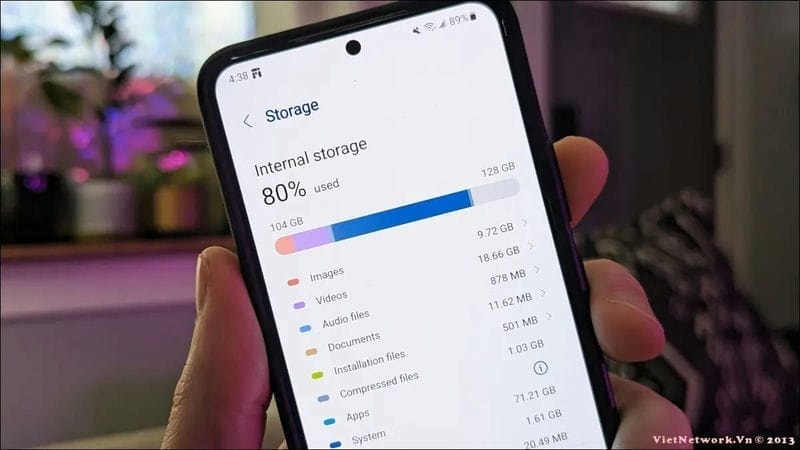
Some devices also support smart storage mode, which allows them to automatically move old photos and videos to cloud services or delete backed-up files to free up space.
To take full advantage of these features, you can access your phone's settings, find the "Storage" or "Device Optimization" section, and enable automatic management options. By enabling these settings, you can maintain stable device performance without having to constantly check and clean manually.
5. Utilize cloud storage services.
Cloud storage services are the ideal solution for freeing up phone space without losing important data. By automatically uploading photos, videos, and documents to cloud platforms like Google Drive, iCloud, OneDrive, or Dropbox, you can reduce storage pressure on your device while still easily accessing your data from anywhere.
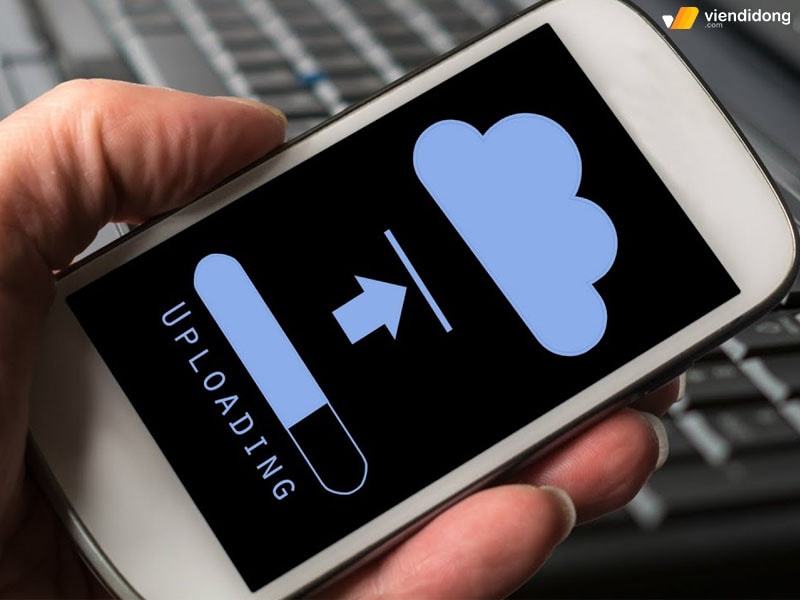
Photo: Internet
To optimize storage space, set up regular backups for important files and delete them from your phone's memory after they have been securely saved to the cloud.
This not only helps you maintain a cleaner, smoother-running device, but also ensures your data is always protected even if your phone malfunctions.
6. Restart your phone regularly.
Restarting your phone not only helps the device run more smoothly but is also an effective way to free up temporary memory. When your phone runs continuously, temporary files and system cache can accumulate without you realizing it, taking up a significant amount of storage space.
Restarting your device will help remove these unnecessary files, refresh the system, and potentially improve overall device performance. This is a simple yet highly effective operation, helping your phone run more smoothly without the need for complicated cleanup measures.
7. SendSend important files to email.
A simple but effective way to protect important data and free up space on your phone is to send important notes, photos, or documents to your personal email account.
This not only helps you securely store essential files but also allows you to access them from any device when needed. This way, you can reduce the strain on your phone's memory while ensuring your important data is always at your fingertips.


