
Simple and safe tips for cleaning your smartphone screen.
A dirty smartphone screen is not only visually unappealing but can also affect touch sensitivity and even damage the screen if not cleaned properly. This article will share simple and safe tips to help you easily clean your smartphone screen at home.
Your smartphone screen faces daily challenges, from fingerprints and dirt to bacteria that accumulate over time. These factors not only reduce screen clarity but also pose potential health risks. Regular cleaning not only keeps your screen looking bright and beautiful but also contributes to maintaining cleanliness and safety.
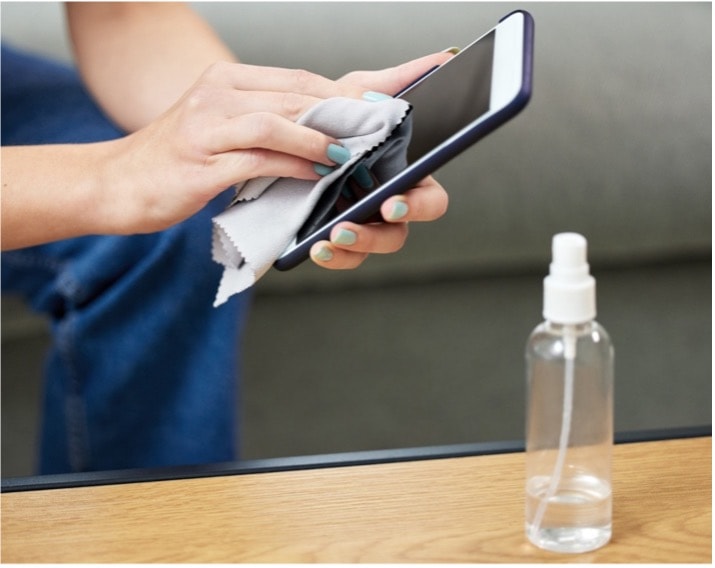
However, improper cleaning can inadvertently damage the screen. To help protect your smartphone, this guide provides simple yet effective methods to keep your phone screen clean without causing damage.
Turn off your smartphone.
Before you begin the cleaning process, make sure your phone is completely turned off. This prevents accidental touches on the touchscreen while cleaning and reduces the risk of short circuits or damage from moisture.
Additionally, unplug all connecting cables, including chargers, headphones, or any other accessories. If your phone has a case, remove it to easily clean the entire surface, especially the corners where dirt tends to accumulate.
Use microfiber towels.
Microfiber cloths are an ideal choice for cleaning phone screens because their soft surface helps remove dirt and fingerprints without scratching. These cloths are designed with extremely fine fibers that effectively absorb dust and grease, while leaving no lint on the screen.
Avoid using paper towels, napkins, rough cloths, or old clothes to clean your screen, as these materials may contain stiff fibers or small dust particles that can easily cause scratches. Additionally, some types of paper towels may leave behind paper dust or cause the screen to become blurry after cleaning.
If your phone screen only has a little dust or light fingerprints on it, you can simply wipe it gently with a dry microfiber cloth to clean it without needing any cleaning solution.
Moisten gentlymicrofiber towel
For a more thorough cleaning of the screen, lightly dampen a microfiber cloth with distilled water or a specialized cleaning solution for phone screens.
Note that you should only dampen the cloth just enough, not too much, as excess water can drip and seep into the phone's openings, such as the speaker, charging port, or microphone, leading to damage to internal components.
Never spray water or any type of cleaning solution directly onto the screen, as this could cause the liquid to spread and penetrate sensitive components.
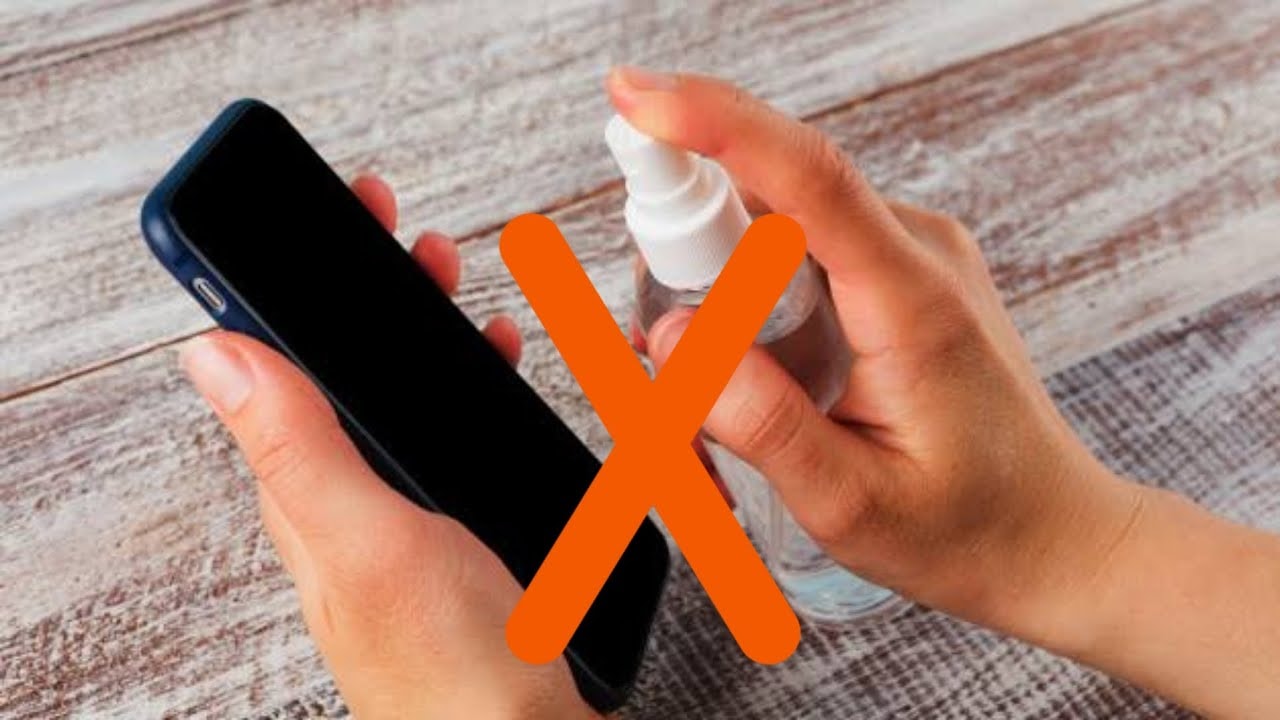
Instead, pour a small amount of the solution onto a microfiber cloth, then gently wipe the screen in a circular or top-down motion to avoid streaking.
If using a screen cleaning solution, make sure it doesn't contain harsh ingredients like alcohol, ammonia, or strong detergents, as these chemicals can damage the anti-fingerprint coating on your phone screen.
Wipe gently in a circular motion.
Begin the cleaning process by gently wiping the screen surface with a microfiber cloth in a circular motion. This method effectively removes dust and fingerprints without leaving streaks.
Pay special attention to areas that are frequently touched by your hands, such as the middle of the screen or the corners, where dirt and oil from your fingers tend to accumulate more. If there are stubborn stains or grime that are difficult to wipe away, you can repeat the process several times with light pressure, instead of pressing down hard on the screen.
Avoid using excessive force when cleaning, as this can put pressure on the underlying panel, affecting the display or even causing unwanted damage such as dead pixels or stains on the screen.
Clean the edges and corners.
The edges and corners of a phone are areas where dirt, sweat, and grime easily accumulate over time, especially around the screen bezel and small crevices. To effectively clean these areas, use a corner of a microfiber cloth to gently wipe along the phone's edges and corners to remove any accumulated dirt.
For hard-to-reach areas, such as speaker grilles, charging ports, or the narrow bezel between the screen and the frame, you can use a cotton swab dampened with a little distilled water or a screen-safe cleaning solution.
Make sure the cotton swab is only slightly damp, not too wet, to prevent water from leaking into the internal components. Move the swab vertically or gently in a circular motion to remove dirt without damaging the device.
If you need to clean the speaker grilles or microphone holes, you can use a soft brush or a gentle stream of compressed air to blow away dust without damaging the phone. Performing this carefully will help keep your device cleaner without affecting important components.
Disinfect the screen.
If you want to disinfect your phone, use a 70% isopropyl alcohol solution or specialized alcohol wipes. These products are designed to be safe for most modern phone screens, effectively removing bacteria and viruses without damaging the device.
When using, apply a small amount of the solution to a microfiber cloth instead of spraying it directly onto the screen to prevent moisture from seeping into the phone's crevices. Gently wipe the entire surface, focusing on areas that are frequently touched, such as the screen and edges.
Absolutely avoid using harsh chemicals such as bleach, ammonia, or abrasive cleaners, as these can damage the anti-fingerprint coating and reduce the screen's durability over time. Proper cleaning not only keeps your phone free of bacteria but also maintains its durability and display quality in the long run.
Dry the screen.
After cleaning, use the dry side of a microfiber cloth to gently wipe away any remaining moisture from the screen. This not only helps the surface dry faster but also prevents condensation, avoiding damage to internal components.
Before turning on the phone or reconnecting accessories, make sure it is completely dry. If necessary, leave the device in a well-ventilated area for a few minutes to allow any moisture to evaporate completely, ensuring safety and maintaining optimal performance.
Consider using a screen protector.
To keep your smartphone screen clean and prevent scratches, consider using a screen protector. This protective layer not only helps prevent dust, fingerprints, and external impacts, but also reduces the risk of damage from accidental drops or collisions.
Additionally, using a screen protector makes cleaning easier, as you can wipe the surface clean without damaging the original screen. Choosing a high-quality protector, such as tempered glass or an anti-fingerprint film, will help maintain clarity and smooth touch sensitivity for a long time.


