
7 ways to lock your smartphone to deter thieves.
Smartphones are not just communication tools; they also contain a wealth of important personal data. To prevent this valuable data from falling into the wrong hands, you need to immediately apply the following effective and secure phone locking methods.
Protecting smartphones from cyberattacks is paramount in the digital age, when these devices have practically become "mobile safes" containing all personal and work data.
However, the worrying thing is that conventional cybersecurity measures – such as antivirus software or firewalls – will be completely useless if your phone falls into the wrong hands. In this situation, the problem is no longer about preventing hackers remotely, but about preventing strangers from directly accessing your device.
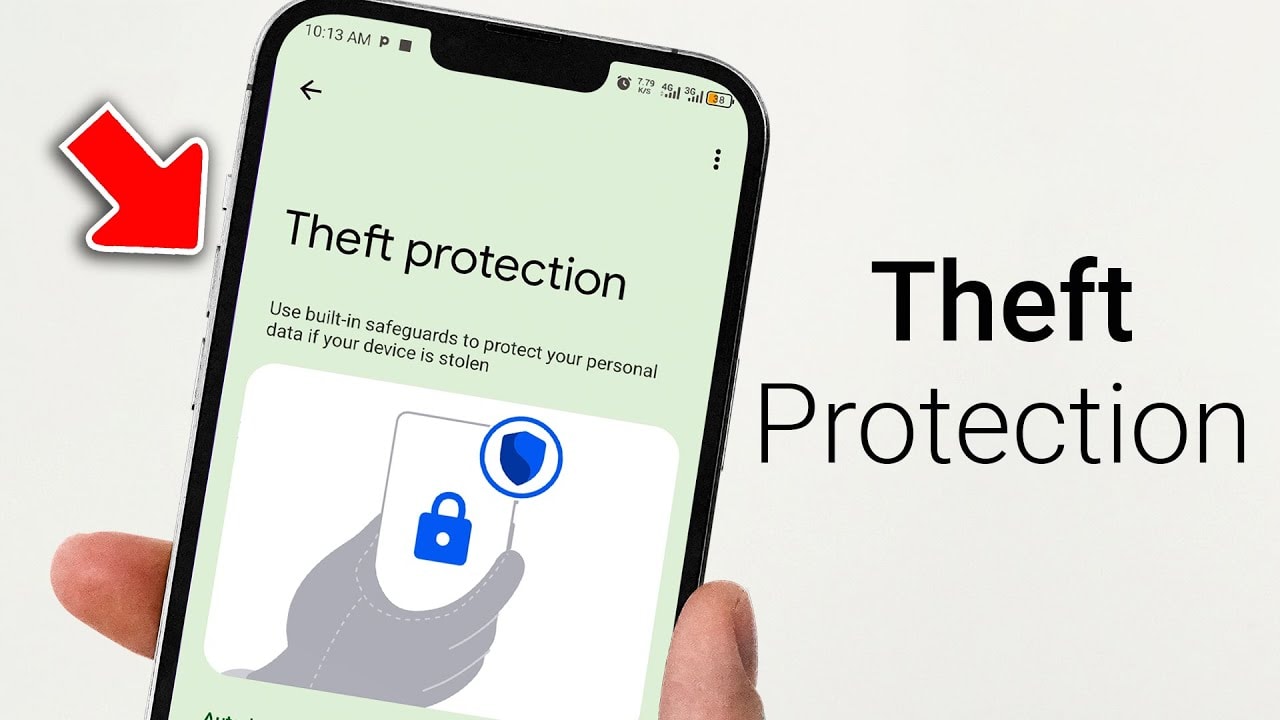
Therefore, if you are truly serious about protecting your personal information and privacy, setting up physical and software security locks to prevent phone theft is an essential step. This is not only to prevent thieves from stealing your device, but also to block the risk of attacks, scams, and identity theft right from the device in your pocket.
1. Activate the anti-theft feature.
One of the most important steps in protecting your device from theft is to take advantage of the anti-theft features built into the operating system. On Android and iOS, make sure you have enabled Find My Device (Android) or Find My iPhone (iOS) to track and remotely lock your device when necessary.
With Android 16, the version scheduled for release in 2025, Google has significantly upgraded its security capabilities with the "Comprehensive Enhanced Protection" feature. This feature includes Theft Detection Lock, which automatically locks the phone if it detects sudden movement, such as being snatched from someone's hand.
Additionally, Offline Device Lock will automatically activate if the phone is disconnected from the network. Specifically, if the device is held for more than 3 days without being unlocked, the Restart feature will activate and require re-authentication, disabling the device even if the thief manages to bypass the lock screen.
On iOS, the "Stolen Device Protection" feature enhances security by adding a delay when changing important settings, giving you a golden opportunity to remotely lock your device before it's too late.
2. Switch to eSIM for enhanced protection after losing your device.
While eSIMs don't directly prevent phone theft, they make it more difficult for thieves to exploit or resell the device. Unlike physical SIM cards, which can be easily removed and replaced, eSIMs are built into the device and tightly linked to the user's account.
This means that thieves cannot simply insert a new SIM card to use a different network, a feature that makes it easier to locate the phone through the carrier's GPS tracking system.
While eSIMs can theoretically be hacked, it requires advanced techniques and specialized equipment. This barrier makes phones with eSIMs less attractive to criminals, especially since the device can still be remotely locked and disabled at any time.
3. Activate biometric authentication for sensitive applications.
Even if a thief manages to bypass the lock screen, protecting sensitive apps with biometrics like Face ID, Touch ID, or fingerprint recognition will help keep your personal and financial data safe.
On iOS, apps like banking, email, or password management all support biometric authentication. You can activate it by pressing and holding the app icon and then selecting "Request Face ID".
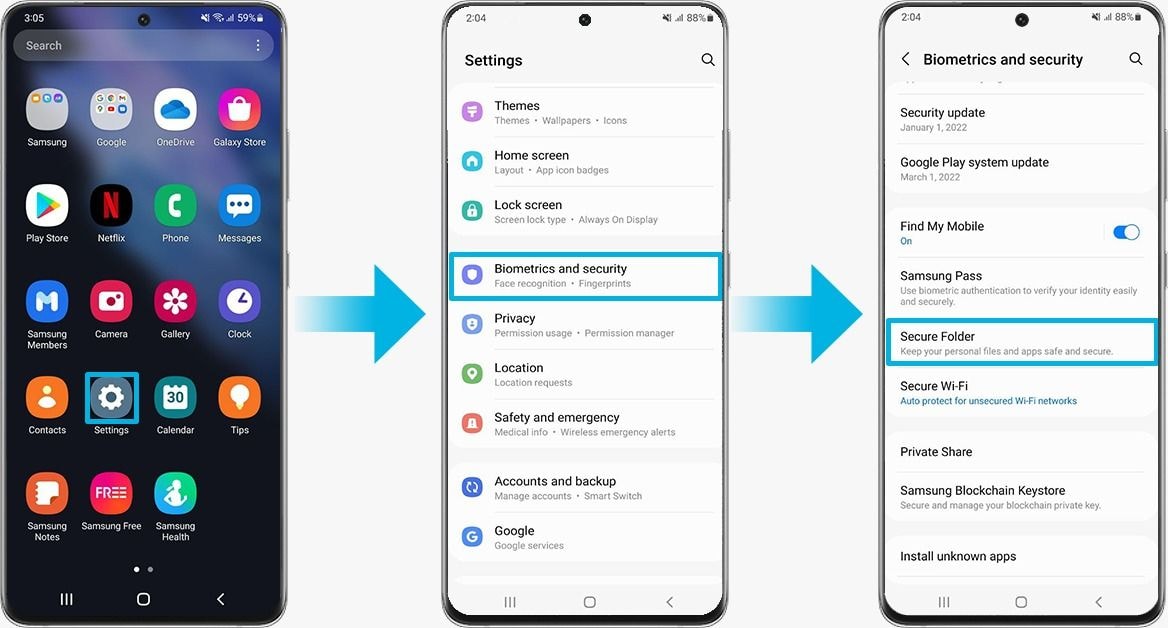
On Android, while there isn't a built-in system option to lock specific apps, you can utilize the "Private Space" feature, which allows you to set biometric authentication as a requirement for app access.
Additionally, apps in "Private Space" are hidden from the main app drawer, enhancing security by making them harder for thieves to detect. This is a crucial layer of defense in case the phone falls into the wrong hands.
4. Turn on tracking.
When a phone is stolen, the ability to track the device remotely is crucial. Apple's integrated location and security service, "Find My," has proven its strength thanks to millions of devices globally that track each other's locations.
When you mark your iPhone as “lost” via iCloud, the device will automatically lock and can only be unlocked using Face ID or Touch ID, even if the thief obtains the passcode. In some cases, you can still locate the device even when it's offline.
Google is also expanding its Android tracking ecosystem. With the Android 16 update, the “Find My Device” feature has been improved to work even when the phone is turned off.
At the same time, the new Moto Tag tracking device supports ultra-wideband (UWB) technology, promising more accurate tracking, although some advanced features still require high-end hardware.
5. Activate factory reset protection.
One of the most effective security measures on Android is the "Factory Reset Protection" feature. When someone tries to reset the device via recovery mode or remotely using the "Find My Device" feature, the system will prompt authentication using a PIN, password, last pattern, or by logging into a previously linked Google account.
Without this information, the device will be unable to complete the initial setup process, rendering it completely useless in the hands of a thief.
With Android 16, Google enhanced this feature by requiring users to re-authenticate after a restore and restricting all functionality if illegal reset behavior is detected.
In particular, all security settings, including tracking features, will remain intact after the reset, making it easier for users to locate stolen devices and prevent resale on the secondary market.
6. Always keep your software updated.
While it may sound simple, regular software updates are key to protecting your phone from modern threats. Google and Apple constantly release security patches and new features to enhance their ability to defend against hackers, malware, and increasingly sophisticated theft methods.
Updating your device as soon as a new version is available not only patches known vulnerabilities but also activates new defensive features that could determine whether or not you can recover your lost phone.
Even if the update doesn't mention "anti-theft," it can still block exploits that hackers use to bypass current protections. In today's mobile world, an outdated device is vulnerable, and updates are a line of defense you shouldn't ignore.
7. Use a phone lanyard.
In the age of biometrics and global positioning, a seemingly outdated mechanical solution is becoming an effective anti-theft "weapon": the phone lanyard.
The principle is simple: if you don't want your device snatched, keep it securely attached to your person. Nowadays, many accessory brands offer phone lanyards with compact, stylish designs, allowing users to wear their phones on their wrists, backpacks, or belts. These products are popular on e-commerce platforms, with prices starting from just $10.
While not everyone likes having their phone dangling while moving around—it can bump into objects, causing scratches or screen breakage—in crowded environments like buses, festivals, or pedestrian streets, a phone lanyard can really make a difference.
A quick snatch will fail if the device is firmly attached to your body. This simple measure has helped many people keep their phones secure while moving around in crowded places.
While not as flashy as tracking technologies or biometric locks, phone lanyards are still a reliable layer of physical protection. While software can be bypassed or disabled, attaching the device to you shortens reaction time and can even catch a thief red-handed.
In short, protecting your phone from theft is just as important as protecting it from cyberattacks or malware. The good news is you don't need to be a cybersecurity expert to do this; with just a few simple steps in the settings, you can set up robust defenses for your device.
However, no matter how advanced technology becomes, it cannot replace personal vigilance. When in public places or crowded areas, proactively keeping your device within reach remains crucial to avoiding becoming a target for criminals.
Combining digital security measures with physical protection habits is key to keeping your phone and all the valuable data on it safe.


