
What should you do if your phone is lost or stolen?
Losing your phone isn't just about losing the device; it also carries the risk of losing personal information, bank accounts, work data, and more. So, what should you do immediately to protect yourself when your smartphone suddenly disappears?
In the digital age, smartphones are not just communication devices but also "digital wallets" containing almost everything in our lives, from personal photos and important messages to social media accounts, banking information, credit cards, and work management data.
Therefore, when a phone is lost or falls into the wrong hands, the damage is not limited to the device's value but also includes the risk of losing personal data, having financial information exposed, and even being scammed.
Here are the immediate steps to take if you unfortunately find yourself in this situation. Reacting quickly will minimize the risk of identity theft, financial fraud, and in some cases, may even help you recover your phone.
1. Locate your device
Access the Find My iPhone (Apple) or Find My Device (Google) feature from any internet-connected device, such as a computer, tablet, or a friend's or family member's phone. If you have already enabled this feature, the system will allow you to pinpoint the approximate location of the phone on a map.
2. Lock and protect devices remotely.
Right within the Find My interface, you can remotely lock your phone and mark it as "lost" (Lost Mode). This feature disables access to the device and automatically prevents payments via Apple Pay or Google Pay.
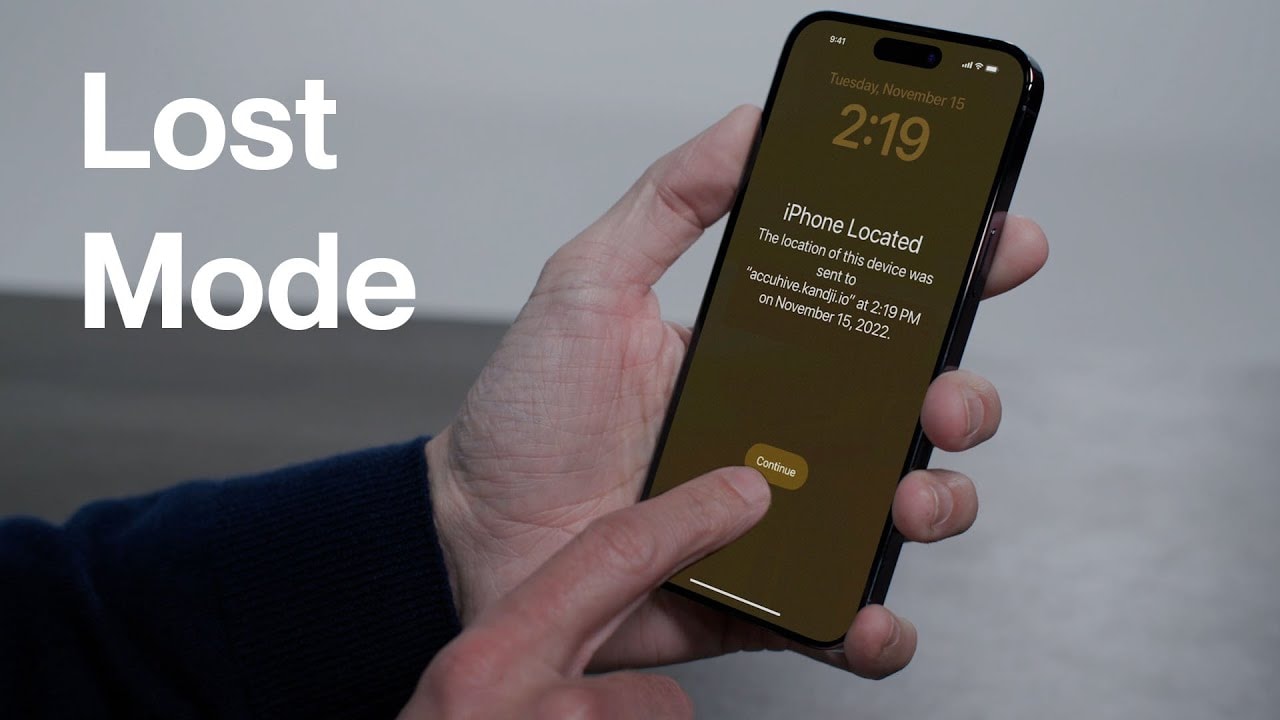
At the same time, it allows you to display a personalized message (e.g., "I lost my phone, please call...") on the lock screen for whoever finds it.
Additionally, if you suspect that your phone cannot be recovered, choose to remotely erase all data to protect your personal information.
3. Call your network provider immediately.
Contact your mobile service provider to request SIM blocking and prevent malicious actors from using your phone to make calls or send messages that incur charges. Also, ask your carrier to check all recent "bill-paying" transactions (such as app purchases or service subscriptions) and completely disable this feature if necessary.
4. Disable payment methods.
If you have saved your credit card information on Apple Pay or Google Pay, contact your bank or card issuer immediately to request that the card be blocked or unlinked from the lost device.
5. Report to the authorities.
Please report the incident to your local police. Providing your phone's IMEI number (usually found on the box, purchase receipt, or in your Apple/Google account) can help them easily track and verify the device should it be seized or discovered.
6. Change the passwords for important accounts.
Start with your primary email account, as a malicious actor could use it to reset passwords for other services like social media, banking, or cloud storage. Then, change the passwords for all accounts logged in on the lost device.
7.Sign your device out of your Apple/Google account.
Finally, sign your phone out of your Apple ID or Google account. This will disable access to synced data such as contacts, photos, emails, and notes from the lost device.
In summary, responding quickly and taking all the steps outlined above will not only help you protect your important personal information from unauthorized access, but also minimize financial losses due to data breaches or payment abuse.
At the same time, if measures such as locating the device, remotely locking it, and notifying authorities are taken promptly, you still have a high chance of recovering your lost or stolen phone. Being proactive is key to controlling the situation and protecting your number.


