
Tips for properly cleaning your mobile phone to kill bacteria.
Your mobile phone is with you all the time, from your pocket to the dinner table, so it's no surprise that it's full of bacteria you might not expect. This article will guide you on how to properly clean your phone to keep it clean and safe.
Mobile phones are practically with us all day long, from the moment we leave home in the morning until late at night before going to bed. However, this habit of always carrying them around inadvertently turns this familiar device into an ideal breeding ground for bacteria and dirt.
Dirty hands, public surfaces, and the surrounding environment make your mobile device extremely dirty. The Federal Communications Commission (FCC) recommends that users disinfect their mobile phones daily to minimize bacteria.
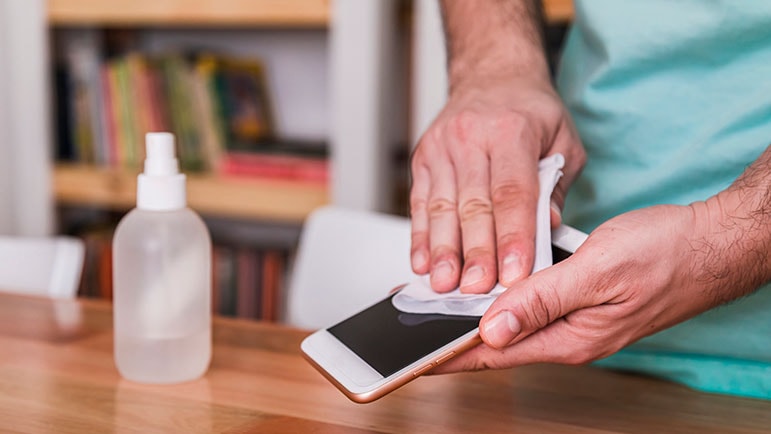
However, not all cleaning methods are safe; harsh cleaning solutions or abrasive materials can damage the protective coating and harm the screen.
This article will guide you on how to properly, effectively, safely, and appropriately clean your phone, suitable for all models, including iPhones and Samsungs.
What product should I use for daily phone cleaning?
After touching public surfaces like doorknobs, bus seats, shopping carts, or gas pumps, many people tend to want to use strong detergents to clean their phones.
However, wiping directly with pure alcohol or products containing a high concentration of alcohol can damage the oleophobic coating on the screen, leading to reduced device lifespan.
A safer option is to use disinfectant wipes containing 70% isopropyl alcohol, a concentration recognized by many manufacturers as effective without causing harm. Another modern option is a UV sterilization device like PhoneSoap, which can kill up to 99.99% of bacteria.
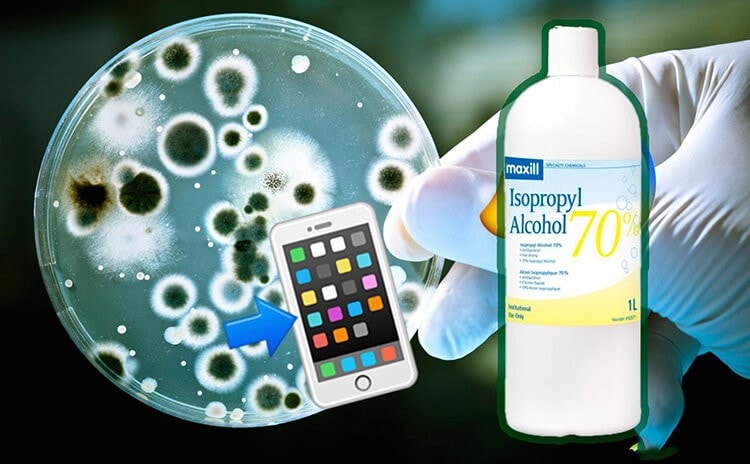
Apple now approves the use of Clorox wipes and similar disinfectants, a practice previously restricted before the pandemic. AT&T (US) recommends using a 70% alcohol solution sprayed onto a soft, lint-free cloth to wipe the device, while Samsung suggests using a microfiber cloth with 70% alcohol. Whichever method you choose, always ensure your phone is turned off before you begin cleaning.
How do I remove fingerprints, sand particles, and makeup from my phone?
Daily hygiene routines aren't always enough to tackle stubborn stains, especially after a long day at the beach or after applying makeup. Here are some more effective and safer methods.
FingerprintsThis is unavoidable due to the oil from your hands left behind every time you touch your phone. The best way to clean it is with a microfiber cloth, the kind often included with sunglasses or screen protectors.
For a more thorough cleaning, dampen a cloth with distilled water (never pour water directly onto the device) and gently wipe the screen, back, and edges. You can also use a specialized microfiber cleaning pad attached to the back of the phone for easy cleaning when needed.
Sand and fine dust often get trapped in speakers, charging ports, and crevices.A piece of Scotch tape can be an effective "weapon" by lightly applying it to dusty areas, then rolling the tape and inserting it into the port to pull the dust out. For smaller crevices like speakers, use a blunt-tipped wooden toothpick or a mini vacuum cleaner designed for electronics.
Makeup residue from foundation or moisturizer can also stick to the screen.Never use makeup remover on your face because it contains ingredients that can damage the screen's protective coating.
Instead, use a screen-friendly, alcohol-free cleaning solution that is safe for all devices. Another option is to use a slightly damp microfiber cloth, gently wipe, and then wash it clean for reuse.
Mistakes to avoid when cleaning your phone.
Besides avoiding pure alcohol and makeup remover, there are many other seemingly harmless products that can seriously damage your phone if used incorrectly. Below is a list of things you should absolutely not use when cleaning your device:
Hand sanitizer:Despite their convenience, hand sanitizers containing ethyl alcohol and fragrances can damage the oleophobic coating and harm the screen.
Household cleaning products:Glass cleaners or kitchen cleaning solutions are often very strong, which can erode the protective layer and make your phone more prone to scratches.
Tissue:Although soft to the touch, the paper is easily torn and can leave behind paper scraps as well as cause minor scratches on the screen due to its coarse fiber texture.
Dish soap or hand soap:Most types of soap need to be diluted with water, which should be absolutely avoided when cleaning electronic devices.
Vinegar:Being acidic and corrosive, vinegar can damage screen coatings just like alcohol and harsh cleaning chemicals.
Compressed air:Blowing compressed air into the charging port or speaker can cause internal damage, especially to the microphone. Apple has repeatedly advised against using compressed air to clean iPhones.
The key to long-term phone protection is choosing the right method—gentle yet effective—and always avoiding unsuitable cleaning agents.


